
There are several ways to add new users to Anesthesia Touch using WebAdmin. You can batch-import users or add them one by one.
Adding an Individual User in WebAdmin
- Log in to your site's WebAdmin by going to [yoursite].plexus.cloud.
- Click Admin and Users.
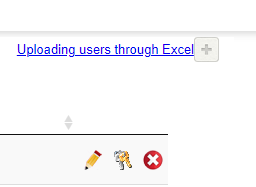
- Click the plus sign icon at the top next to Uploading users through Excel.
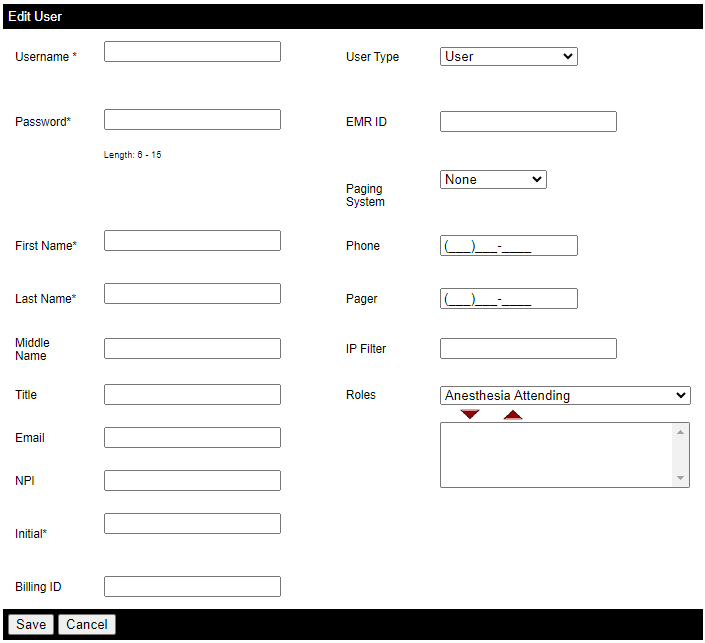
- Input the user’s information. Required fields:
- Username
- First name
- Last name
- Initial
- User type (i.e., the user’s administrative role in WebAdmin)
- Role (can be multiple)
- Click Save.
Batch-Importing Users through Excel
- On the Users page, click Download Sample Template to Upload Users and save the file to your preferred location.


- Open the file and, if necessary, click Enable Editing.

- Remove the sample data and fill in the sheet as usual.
- These data are to help you create a spreadsheet of your users. Ensure you only put your user data into the Excel file, or you will have false user accounts.
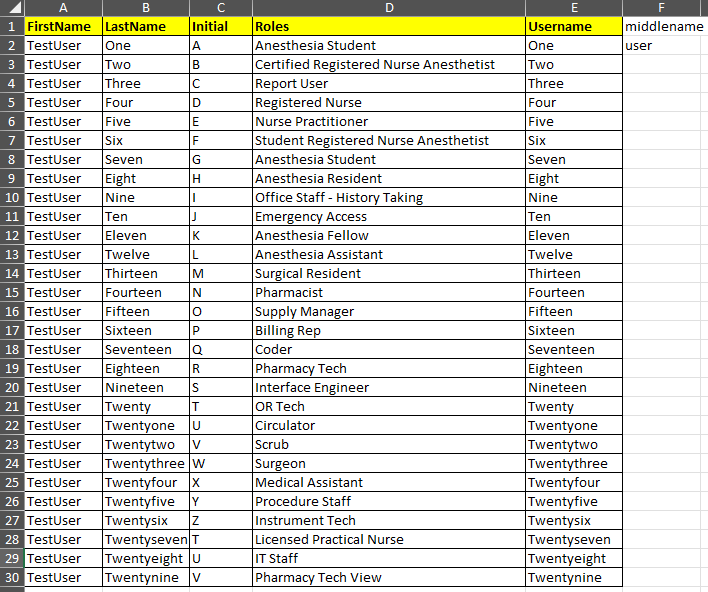
- These data are to help you create a spreadsheet of your users. Ensure you only put your user data into the Excel file, or you will have false user accounts.
- Click the Save icon and go back to WebAdmin.
- Click Uploading users through Excel and click Choose File.

- Select the saved Excel spreadsheet containing your users and click Open and Upload.

- The number of successful users added will be displayed in the pop-up window. Click Ok.

Note: You can only batch-import users’ roles, names, and usernames. You cannot import passwords.