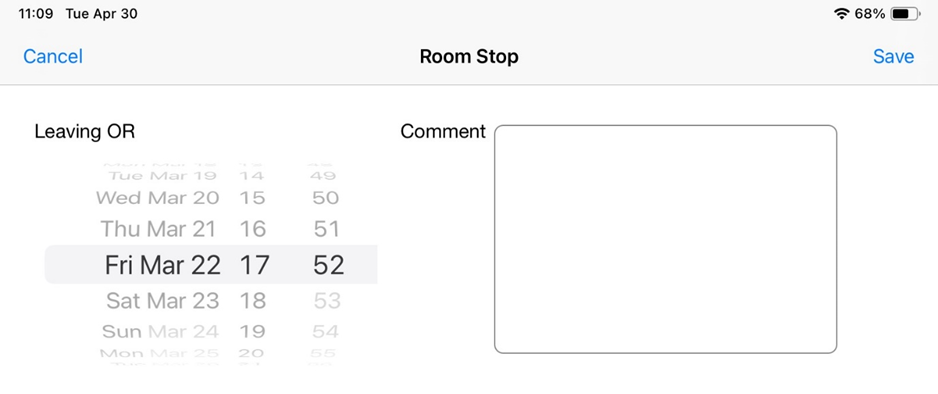
The way that Anesthesia Touch displays times in the selection menu depends on your iPad time settings. Regardless of how you set your time, you will see 24-hour military times on the IntraOp screen.
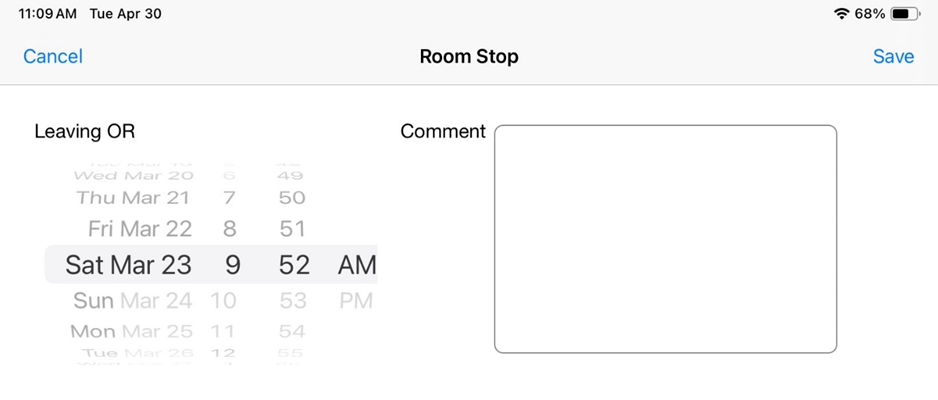
To change the way time is displayed in the selection menu, do the following:
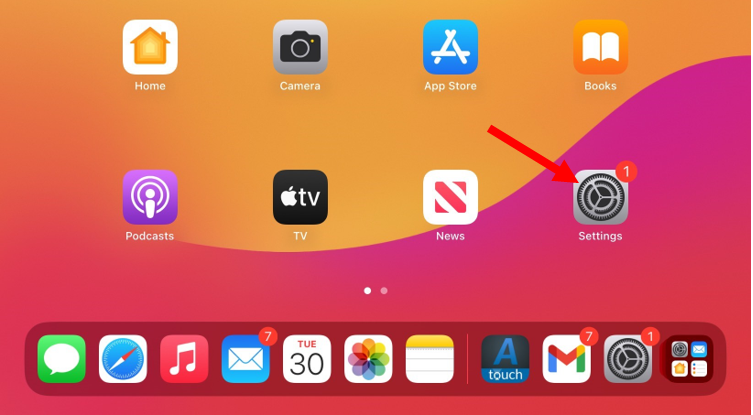
- Tap the Settings icon on your iPad home screen.
- Tap General and Date & Time.
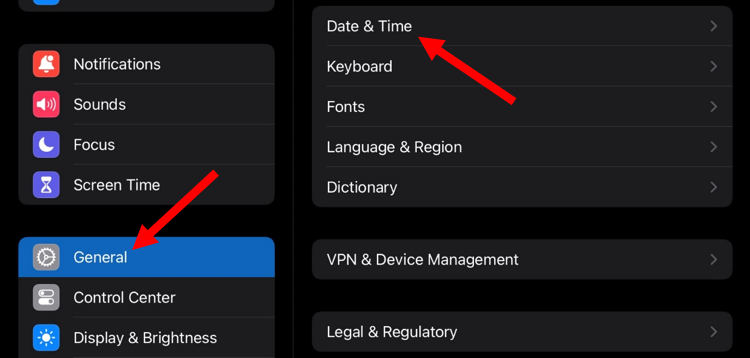
- Tap the toggle button to turn on 24-hour time.
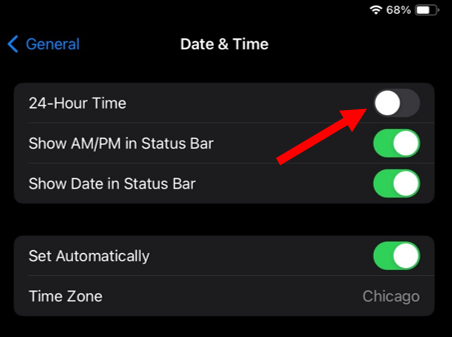
The selection menu will now display times in the 24-hour format.