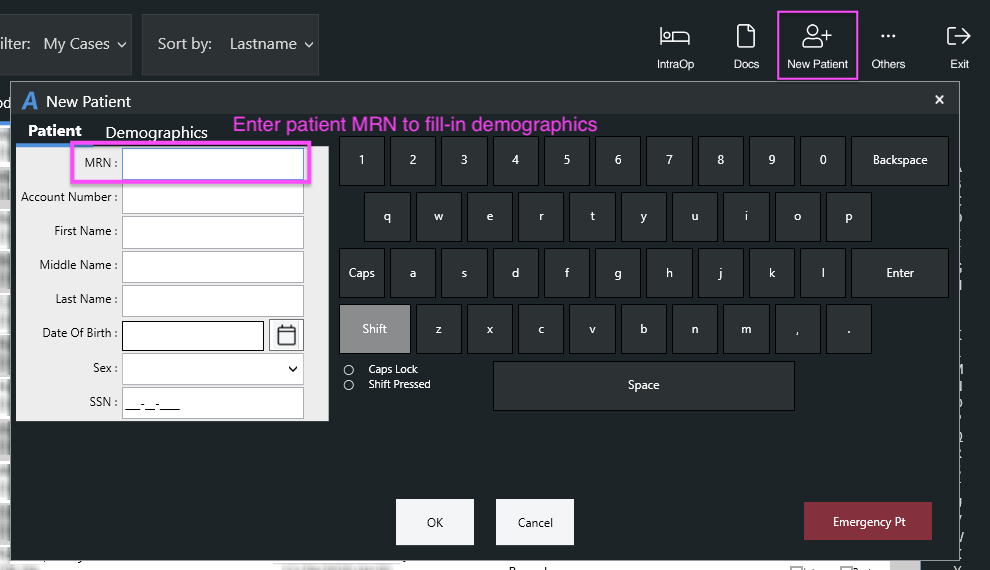
To create a second case for an existing patient on the same day, do the following:
- From the Patient List, select New Patient
- Select the Document button to start a document or the shortcut for the IntraOp Record
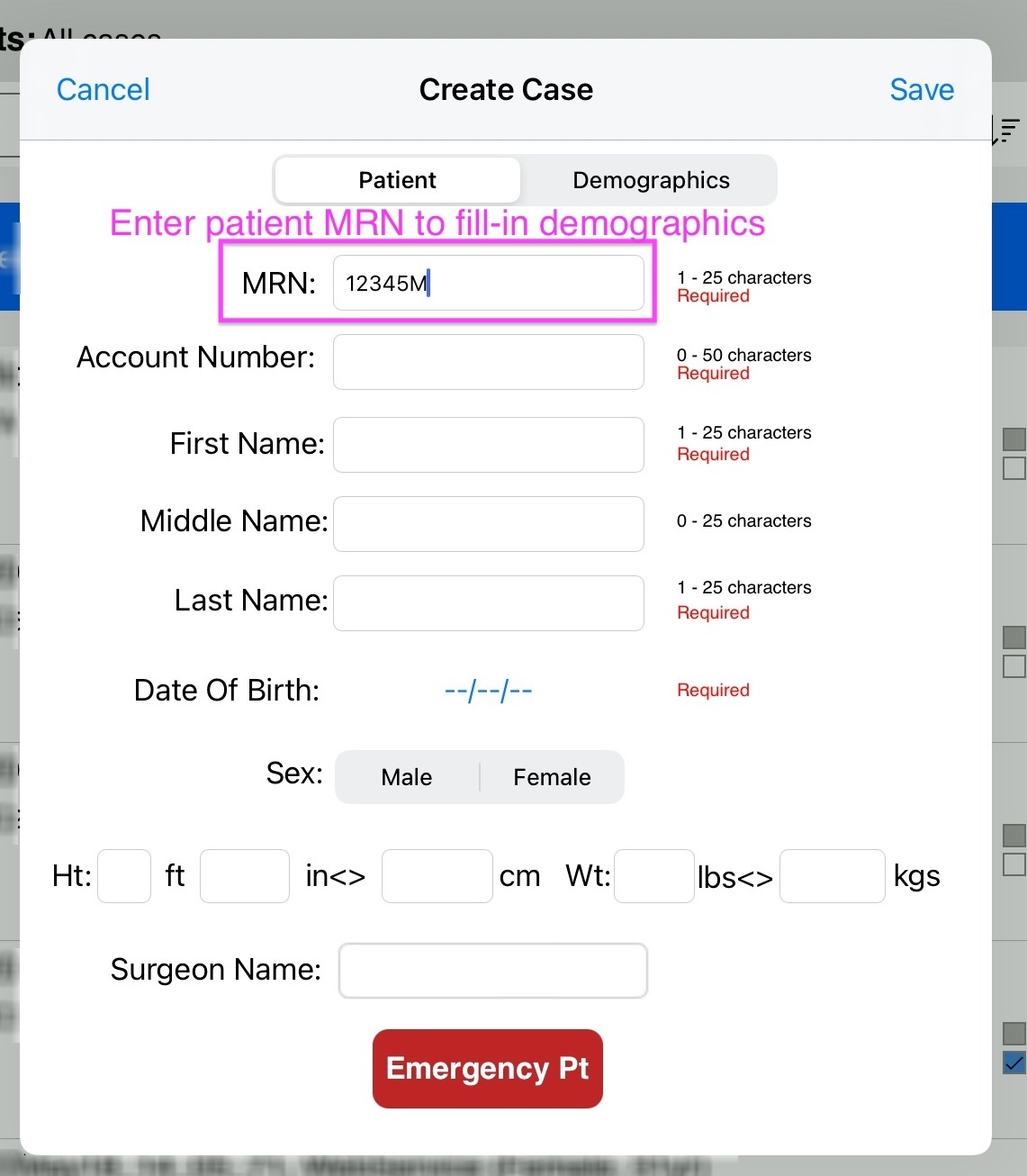
- In the new patient dialog, type the patient's MRN
- Anesthesia Touch will match the MRN and populate the last name, first name, DOB, sex, and other demographics
- In the new patient dialog, select "Save"
- If configured to, Anesthesia Touch will prompt for an Account Number if none was entered (the account number is typically unique to the encounter)
When returning to the Patient List, both visits will appear with the same patient information. The account number, location, procedure, time, and document status will differ for each case.
New Patient Dialog
On iOS:
On Windows: