
Instead of typing a patient’s information, clinicians can use a barcode scanner to import a record by doing the following:
- In Anesthesia Touch, tap Patients to go to the Patient List.
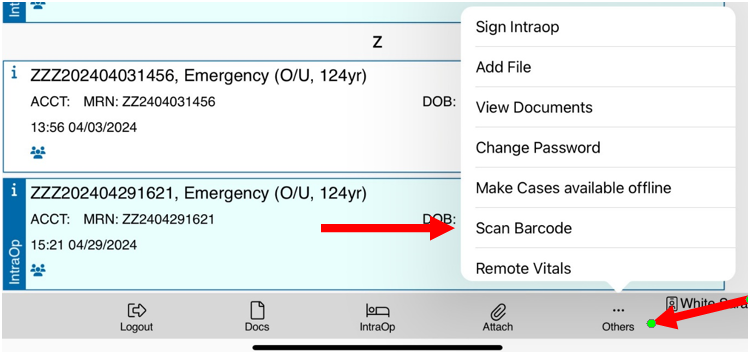
- At the bottom, tap Others and Scan Barcode.
If there are multiple visits with the same MRN, Anesthesia Touch will locate the first match. If a match is not found, a message will be displayed.