
When an anesthesia record is completed for a case, it will be locked in Anesthesia Touch, preventing any updates or edits. You can create an addendum for any case if there are additional notes needed.
If a case is locked, administrators can unlock it from WebAdmin by doing the following:
- Log in to your site's WebAdmin by going to [yoursite].plexus.cloud.
- Click Admin and Documents.
- Documents should be the default page.
- Search for the day of surgery (DOS) or the patient’s information and click Go or Search.
- Check the box on the far right next to the document list to lock the documents.
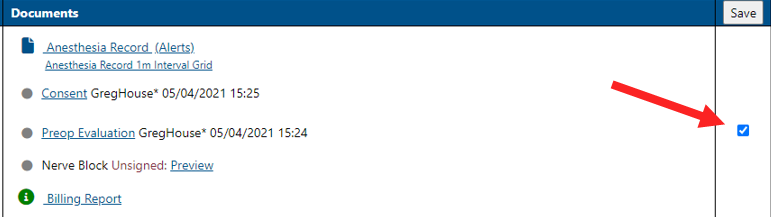
- Click Save at the top of the list.
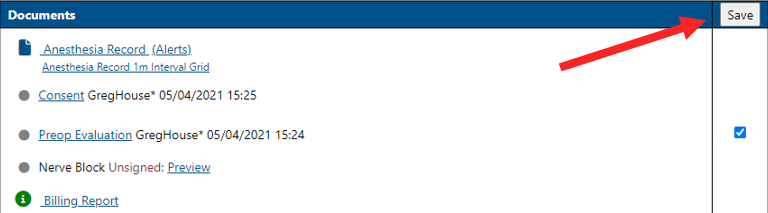
- To unlock a case, uncheck the box and click Save.
When a case becomes locked may vary by site configuration. Cases may be locked when a provider indicates a document is signed and completed or may be locked after the completion and a grace period or overnight.
You can also unlock cases in Anesthesia Touch .